ITOM vs ITSM: Key differences and how they work together

Introduction
Imagine this: It’s 8:00 AM on earnings day. Executives prepare for meetings. Analysts need live dashboards. Suddenly, the reporting platform stops working.
Within minutes, department heads call IT. Emails start flooding inboxes. Teams lose access to critical systems.
Meanwhile, IT teams rush into action. The service desk receives dozens of tickets. Operations teams scan monitoring tools.
They ask: Did a patch fail? Is a cloud setting wrong? Is it a network issue?
Clearly, this kind of problem shows a bigger truth. IT service and operations often overlap. Both must work together. Organizations must manage service delivery and system health at the same time.
This is where IT Service Management (ITSM) and IT Operations Management (ITOM) come in. People talk about them often. But they still confuse ITOM vs ITSM. However, both play key roles.
Each focuses on managing different tasks. Yet both help keep IT strong, stable, and user-friendly.
TL;DR: Executive summary- ITOM vs ITSM
In enterprise IT, ITOM and ITSM play different but connected roles.
- IT Service Management (ITSM) focuses on helping users and managing services. It also ensures employees get quick support.
It also makes sure changes go smoothly. With ITSM, users often face fewer issues and disruptions. Additionally, it puts people and service quality first.
- IT Operations Management (ITOM), however, handles the behind-the-scenes systems. Further, it keeps the IT infrastructure running well.
ITOM works to improve speed, uptime, and automation. It also helps lower costs. It focuses more on systems than users.
Clearly, both matter. ITSM helps IT add value to the business. ITOM makes sure the systems stay healthy.
So, what’s the key takeaway?
You need both. If you only use ITSM, services may break down often. If you only use ITOM, the systems may not serve business needs.
When they work together, IT runs better. One focuses on the user. The other keeps things running strong in the background.
What is ITSM?
IT Service Management (ITSM) helps businesses plan, deliver, and manage IT services. Instead of viewing IT as just tools, ITSM sees it as a service that adds value.
ITSM helps teams work better and support business goals. It also improves user satisfaction.
To do this, ITSM covers every step of a service’s life. This starts with planning and setup. Then, it includes daily tasks and updates for ongoing growth.
With ITSM, your IT services stay clear, stable, and useful.
Core concepts of ITSM
ITSM stands on a few key ideas that guide how teams manage IT services.
- Service-focused delivery:
IT teams deliver services like email, support, or applications, not just tools or systems. They focus on what users need. This helps improve customer experience and shows how IT adds value to the business. - Process-driven work:
Teams follow clear, repeatable steps to handle IT tasks. For example, they use fixed methods to fix issues or make changes. This reduces mistakes and keeps services reliable. - Ongoing continuous improvement:
Teams always look for ways to get better. They review their work often and make needed changes. ITIL supports this with a simple cycle: Plan, Do, Check, Act. This way, services stay useful and up to date.
Key objectives of ITSM
The main goal of ITSM is to match IT work with business needs and user expectations.
- Align IT with business goals: IT teams work to support business plans. This also helps IT deliver real value.
- Boost efficiency and productivity: IT day to day processes become faster and smoother. As a result, teams save time and cut manual work.
- Improve customer experience: IT delivers reliable services. So, users get what they need without delays or issues.
- Reduce downtime and risks: IT teams fix problems early. This further helps prevent service breaks and reduces business impact.
Essential ITSM processes
ITSM processes are clear to keep IT services running well. These processes help teams work faster and smarter.
- Incident management
Fix issues quickly to bring services back to normal. Moreover, this reduces downtime and keeps users happy. For example, a team may restore a server after an outage or fix a broken network connection. - Change management
Plan and test IT changes before rolling them out. Subsequently, this reduces risks and avoids service problems. Changes may include updates to hardware, software, or settings in the IT system. - Problem management
Find and fix the root cause of repeat issues. This further stops problems from happening again. Instead of fixing the same issue often, teams apply long-term solutions. - Service request management
Handle common requests through a set process. This also saves time and improves user satisfaction. These requests may include password resets, software installs, or permission updates. - Asset and configuration management
Track all IT assets and how they connect. This also helps with faster support and better decisions. CMDB often stores this data for easy access.
Most teams follow proven frameworks like ITIL. These frameworks offer best practices for managing IT services well.
Common ITSM frameworks
You don’t need to build ITSM from the ground up. Many trusted frameworks already exist to help you.
- ITIL (Information Technology Infrastructure Library) is the most popular. It offers proven steps to deliver IT services.
- COBIT (Control Objectives for Information and Related Technologies) helps you manage and govern IT more effectively.
- ISO/IEC 20000 is a global standard. It further sets best practices for IT service management.
- MOF (Microsoft Operations Framework) gives clear guidance. It also helps you manage IT services with Microsoft tools.
What is ITOM?
IT Operations Management (ITOM) helps run and maintain your IT systems. It keeps your technology working behind the scenes. While ITSM focuses on delivering services, ITOM ensures those services run without trouble.
ITOM teams take care of daily tasks. They also manage servers, networks, apps, devices, and databases. Subsequently, these teams make sure everything stays healthy, safe, and fast.
At the same time, ITOM helps control costs. It also makes your tech setup more efficient. Although users may not see it, ITOM works quietly in the background. It keeps your systems running without breaks.
In short, ITOM solutions build a strong base for your IT services. Without it, ITSM cannot deliver smooth, reliable results.
Core concepts of ITOM
- Proactive monitoring
IT teams must watch servers, networks, and apps at all times. This also helps spot problems early. They can then fix issues before users face any impact.
For example, alerts can warn about a failing disk. The team can also replace it before it breaks.
- Automation and orchestration
Use automation to complete tasks quickly and correctly. This also cuts down manual work. You can also automate backups, patch updates, or user setups.
As a result, tasks run smoothly and without errors. IT automation software also makes it easy to grow operations as needed.
- Operational transparency
Make sure the IT team can see everything happening in the system. Dashboards and reports help with this. They further show real-time data about assets and performance.
With this insight, teams can fix slowdowns and improve how resources get used. Most importantly, ITOM processes stay compliant with company rules.
Explore this related post: What is ITOM
Key objectives of ITOM
ITOM focuses on keeping your IT systems strong and efficient. Its main goals include:
- Ensure system reliability
ITOM helps your systems run without breaks. It reduces downtime and avoids disruptions. To do this, teams fix issues quickly. They also add backup systems to handle failures without delay. - Improve resource use
ITOM ensures you use servers, storage, and networks wisely. It avoids wasting resources. For example, you can combine underused servers. Or, you can adjust workloads to get the best performance. - Increase operational speed
ITOM reduces manual work. It also uses IT automation to respond faster. As a result, routine tasks like deployments and monitoring happen with fewer errors. - Support business growth
ITOM prepares your IT setup to grow with your business. It includes planning for more users and traffic. With the right tools and flexible systems like the cloud, growth becomes smooth and stress-free.
Essential ITOM processes
IT Operations Management uses several key processes to keep systems running smoothly. These processes help meet business goals with speed and accuracy.
- Event management:
IT teams watch systems for alerts or unusual activity. They act quickly to fix problems before they grow. For instance, high CPU usage on a server triggers an alert. The team further checks and fixes it before the server crashes. - Performance monitoring:
Teams track how well systems perform. They look at things like server uptime, network speed, and database flow. This also helps spot slowdowns and fix them before they hurt performance. - Job scheduling and automation:
Teams use tools to automate daily tasks like backups and updates. This saves time and reduces errors. It also lets IT staff focus on more important work. - Configuration management:
IT keeps a record of all hardware and software setups. This includes things like software versions and network settings. Knowing this helps teams solve issues fast and plan changes better. A CMDB often supports this process. - Capacity management:
Teams check how resources are used. They plan ahead to avoid overload or waste. For example, they add storage before systems run out of space.
Key differences between ITSM vs. ITOM
Let’s break down the differences between ITOM vs ITSM:
| Aspect | ITSM (Service Management) | ITOM (Operations Management) |
| Primary stakeholders | Supports end-users and customers. It also aims to improve their experience and meet their needs. | Supports internal IT teams. It helps them manage systems and ensure smooth service delivery. |
| Focus | Handles the full service lifecycle. Moreover, it ensures IT services meet business needs and keep users happy. | Manages the IT infrastructure. It keeps systems reliable, secure, and running efficiently. |
| Primary business objectives | Aligns IT services with business goals. Further, it focuses on service quality and customer satisfaction. | Improves infrastructure performance. It also aims for reliable, cost-effective, and scalable IT operations monitoring. |
| Key processes | Covers service tasks. Examples include incident handling, change control, and service requests. | Handles system upkeep. This includes monitoring, performance checks, and configuration tracking. |
| Tooling | Uses ITSM tools like ServiceNow or Jira. These tools manage requests, SLAs, and user communication. | Uses ITOM tools like Nagios and Ansible. These tools monitor systems and automate responses to issues. |
| Approach | Acts mostly after a problem happens. It fixes issues and responds to service requests. | Works ahead of time. It also detects and solves issues before they impact users or services. |
So, ITSM is about doing the right things. On the other hand, ITOM is about doing things the right way. Both are important. However, the ITSM vs ITOM discussion serves different purposes.
ITOM vs ITSM- ITSM looks outward to meet business and user needs. ITOM looks inward to manage IT operations effectively.
How ITOM and ITSM work together
Although ITOM and ITSM focus on different goals, they work best when used together. IT Operations Management (ITOM) lays the foundation for IT Service Management (ITSM). ITOM builds stable systems and gives early warnings. Later, this helps ITSM deliver smooth and reliable services.
At the same time, ITSM drives ITOM priorities. It shows which systems matter most to end-users. This way, both sides stay aligned.
- How they work hand in hand: Clear communication breaks down silos between ITOM and ITSM. Together, the ITSM vs ITOM manage the full IT asset lifecycle. For example, if a server fails, ITOM tools detect the issue first. Then, ITSM kicks in to manage the incident resolution and update users.
Example: Before a new app update, ITSM handles the change process. Meanwhile, ITOM checks if the systems can handle it. This coordination prevents outages and delays. So, each one depends on the other to succeed.
- Why shared tools matter: To improve teamwork, organizations must bring service desk and IT operations teams closer together. Shared tools make this easier. For instance, a unified dashboard shows real-time system status and open requests. Both teams work from the same data.
- The role of CMDB: A centralized CMDB helps even more. It stores details about IT assets, configuration data, and their links. ITSM uses it for change planning. ITOM uses it for quick issue diagnosis. With a shared view, teams avoid confusion and wasted effort.
When ITOM vs ITSM run in sync, IT becomes more efficient and resilient. This also reduces downtime, speeds up responses, and keeps services aligned with business needs. Companies that break down IT silos gain speed, agility, and better user experiences.
By bridging the gap between service and operations, IT can fully support business growth and stability.
Shared foundations: ITAM and CMDB as enablers of ITOM and ITSM
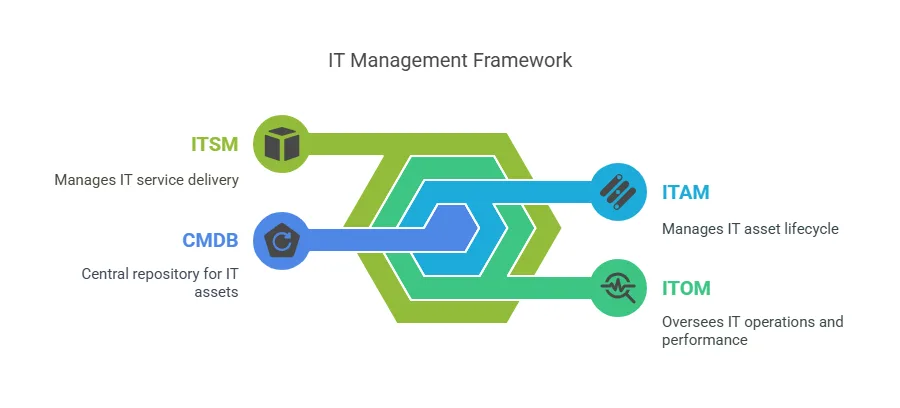
ITOM vs ITSM rely on the same key elements to succeed.
The most important ones are IT Asset Management (ITAM) and the Configuration Management Database (CMDB). These tools give clear visibility into your IT environment. They also ensure data stays accurate and updated.
As a result, your teams get the context they need to manage services and operations better. With ITAM and CMDB in place, both ITOM and ITSM can work smoothly and deliver real value.
Why ITAM and CMDB matter
To deliver reliable IT services, organizations must know what assets they have and where they are. They also need to understand how these assets work and connect with each other. This is where ITAM and CMDB play a key role.
- ITAM helps track and manage the full life of every IT asset—hardware and software. It also gives a clear view of what’s in use. This reduces waste, prevents overspending, and supports ITIL compliance. Without ITAM, companies further risk technology audit failures and poor resource planning.
- Meanwhile, the CMDB components store data about each asset and how it connects to other assets and services. For example, it shows which servers run which applications. This clear view helps teams fix issues faster. It also supports change planning and risk checks.
Together, CMDB and ITAM support both ITOM and ITSM processes.
Don’t miss this one: ITOM vs ITAM
CMDB or ITAM? Know the difference
Many teams ask, “Can’t we use a CMDB for IT asset management too?” At first, the ITSM vs ITOM discussion may seem alike. But their roles are different, and they work best together.
A CMDB (Configuration Management Database) is part of many ITSM tools. It tracks configuration items (CIs) that support IT services. These items can be hardware, software, people, or documents. It also shows how these items connect and depend on one another.
On the other hand, IT asset management (ITAM) focuses on the ownership, costs, contracts, and full lifecycle of assets. While CMDB management looks at service relationships and status, ITAM looks at financial and usage details.
So, both are essential. CMDB is service-centric, while ITAM software is asset-centric. Understanding ITSM vs ITOM helps clarify how both work together to give you a complete view of your IT environment.
You may also like: ITAM vs ITSM
Why not combine them?
Think of a public transport system. City planners track physical assets like buses and stations in one database. This system stores details such as purchase dates, repairs, and value loss over time.
At the same time, they manage services — like routes, schedules, and passenger demand — in a different system. These systems further stay connected, but each serves a different purpose. They also get updated at different times.
Similarly, in IT, combining IT asset tracking and service management in one tool causes problems. IT assets change every 3 to 4 years. However, teams update service configurations more often. They adjust them for business needs, user issues, or security risks.
So, separating them avoids confusion and boosts efficiency.
The best practice?
- Start by using an ITAM platform. It also helps you manage asset inventory, buying, depreciation, and compliance.
- Then, use a CMDB. It tracks system relationships, watches performance, and supports incident and change processes.
Now, connect both systems. Let the CMDB pull real-time data from your ITAM tool. As a result, you get full and clear visibility.
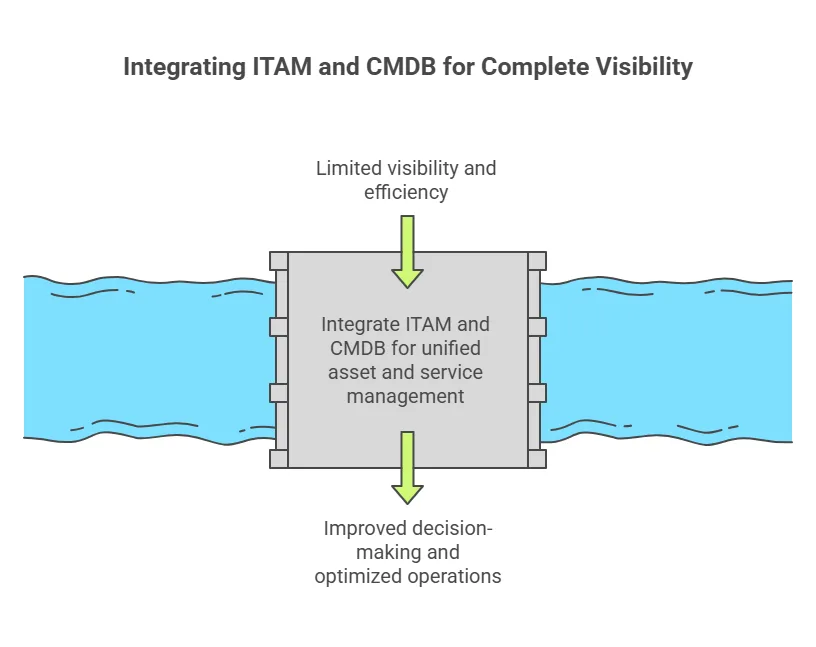
In short, ITAM and CMDB are not the same. But this combination strengthens modern IT management. It also supports ITOM and ITSM by aligning strategy with daily operations.
Bringing it all together with Virima
Modern IT environments are complex. ITSM, ITOM, and ITAM must work together to drive success. For this, you need clear visibility, real-time data, and tight integration. These help IT service delivery, operations, and asset management stay aligned.
But following best practices is not enough. You need a smart, unified platform to stay ahead.
Virima: Your partner for comprehensive IT management
No matter your goal—better service management, smoother operations, or stronger asset control—Virima brings it all together. It offers powerful tools and smart automation. As a result, you can manage everything easily and at scale.
Here’s how Virima makes it possible:
- Automated asset discovery & mapping: Virima quickly finds all your IT assets—servers, devices, apps, cloud tools, and more. Then, it clearly maps how everything connects. These maps show live dependencies between systems and services. So, you always have the right context for faster incident response, smarter change planning, and better impact analysis.
- Integrated CMDB & ITAM: Virima’s platform includes a powerful CMDB database that works with IT asset management. This further creates one reliable source of truth. You always know what you own, how it’s used, and why it matters. As a result, you can make confident business and financial decisions.
- Unified ITSM and ITOM workflows: Virima connects ITOM and ITSM in one smooth workflow. It also covers incidents, changes, problems, and events. Service desk teams see related infrastructure issues in real time. At the same time, operations teams can track service impacts. Everyone works better when the ITSM vs ITOM discussion shares the same view.
- Actionable insights & reporting: Virima offers easy-to-read dashboards and flexible reports. These tools help you find waste, spot risks, and fix compliance gaps early. You can act before problems affect your business. This also helps improve planning, control costs, and stay audit-ready.
- Flexibility & ease of use: Virima is simple to use and quick to set up. Choose cloud or on-prem deployment based on your needs. Thanks to deep integrations, it fits right into your environment, whether small or large, single-site or global.
Altogether, Virima combines ITSM, ITOM, and ITAM in one platform. This breaks down silos, reduces duplication, and speeds up digital transformation. Most importantly, it helps lower risks and control costs.
Ready to transform the way you manage IT?
Get in touch with Virima. Book your free demo today and discover how we turn complex IT into clear solutions.
Frequently asked questions on ITSM vs ITOM
Can I use ITOM without ITSM?
Technically, yes — but it’s not ideal. ITOM works alone to manage infrastructure and system performance. However, without ITSM, you miss a clear structure. You can’t align IT tasks with user needs or business goals.
You also lose service-level insights and workflows. So, while ITOM keeps things running, ITSM makes sure those systems support your users.
Is ITIL required for either?
No, but it’s highly recommended. But ITIL helps a lot. It gives a proven framework with best practices. Many teams use ITIL to guide ITOM and ITSM.
As a result, they get better structure, consistency, and compliance. ITIL connects both areas and boosts process maturity.
Do I need both ITOM and ITSM?
Yes, most businesses need both.
ITSM handles user support, service delivery, and issue tracking. However, ITOM runs the backend infrastructure. Without ITSM, users get no structured help. Without ITOM, services may slow down or fail.
Altogether, the ITSM vs ITOM discussion leads to a strong and efficient IT setup.
How do ITOM and ITSM integrate?
They work together through shared tools and processes. For example, ITOM can detect a system issue. That alert can then trigger an incident in ITSM. Also, during a planned change, ITOM provides health data.
This data helps ITSM teams assess risk. A shared CMDB capabilities further helps both teams track assets and their links.
ITOM vs ITSM: Which do I need first?
If you’re just starting out, start with ITSM. It builds a strong base for service delivery and user support. Once ITSM is in place, add ITOM. Then you can scale, automate, and optimize your systems. ITSM organizes demand. ITOM supports supply.
Do we need ITOM if we have ITSM?
Yes, absolutely. ITSM helps resolve user issues. But it doesn’t monitor backend systems. ITOM fills that gap. It also detects problems early, reduces incident volume, and protects uptime.
Together, they improve service quality and IT performance.