How service mapping can improve the IT incident management process

Imagine this: a key app fails during a busy workday. Users flood the helpdesk and log tickets through the service portal. Your team scrambles to trace the issue across servers, databases, and networks. This is where the IT incident management process either shines or stalls. Especially when handling high-priority incidents that affect critical business operations and cause unexpected service disruptions.
With service mapping, IT teams stop chasing symptoms. Instead, they see links clearly, find the cause faster, and restore services or resolve the issue before the business feels the impact – all in real time.
Incident Management 101: A quick recap
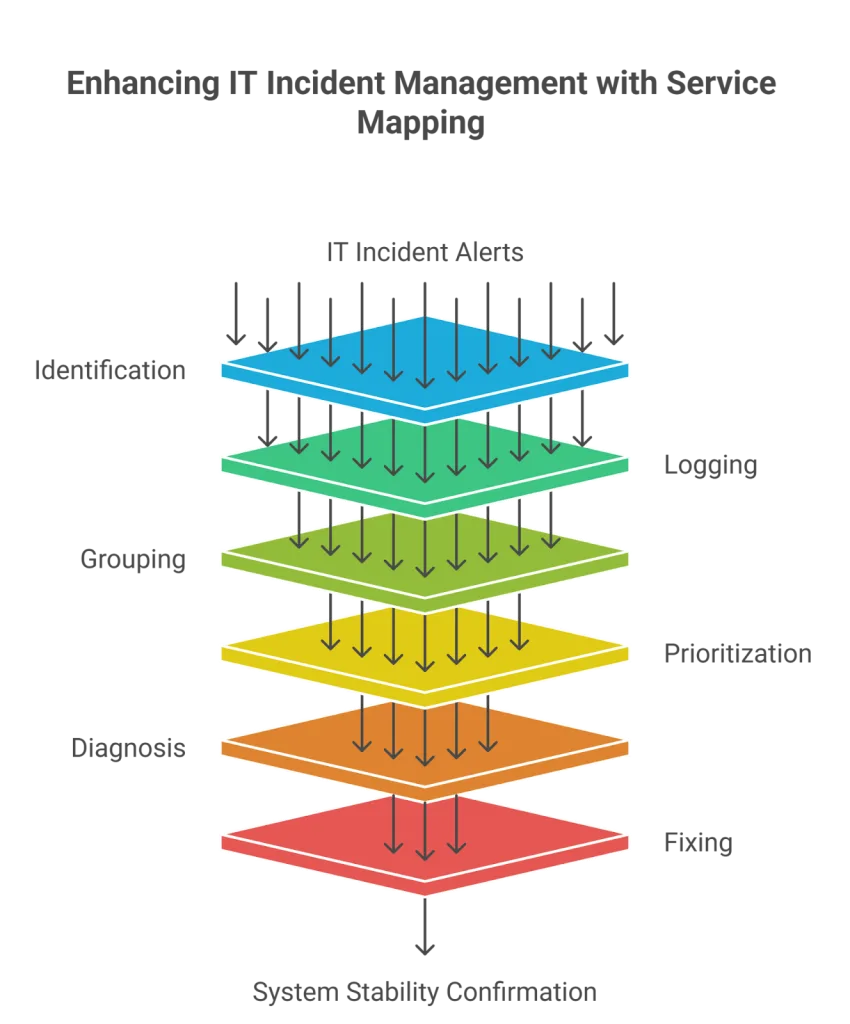
The IT incident management process is designed to restore services quickly. The lifecycle includes:
- Identification – spotting that an issue happened.
- Indident Logging – recording details in the system as part of each service request
- Incident Categorization – classifying incidents based on impact, urgency, and affected systems for faster routing.
- Grouping – sorting the issue into the right type of incidents.
- Setting priority – ranking by urgency and impact for effective incident prioritization.
- Diagnosis – finding the real cause.
- Fixing – applying solutions to restore service.
- Closure – confirming it’s solved and marking them as resolved incidents.
Now, let’s see how service mapping improves each step.
Where Service Mapping fits in the IT lifecycle
First, service mapping strengthens every stage of the ITIL incident management process:
- Identification – maps tie alerts to the right system.
- Logging – visuals add context for clear records and accurate service request handling.
- Grouping – links make sorting easier by type of incident.
- Setting priority – maps show which services matter most for precise incident prioritization
- Diagnosis – clear connections guide teams to the cause in realtime.
- Fixing – incidents connect to past issues or changes stored in the knowledge base.
- Closure – teams confirm all systems are stable and business operations resume smoothly.
As a result, mapping becomes more than a diagram. It becomes a time-saver for every service desk team.
Why service mapping matters
Why Service Mapping matters
Next, let’s explore the benefits. Service mapping shows how IT systems work together. By visualizing servers, apps, and networks, teams spot weak points before they break.
In addition, when major incidents happen, maps point straight to the cause. They also highlight which services are affected. This cuts downtime and supports SLA goals.
Incident vs. Problem vs. Change—and how maps bridge them
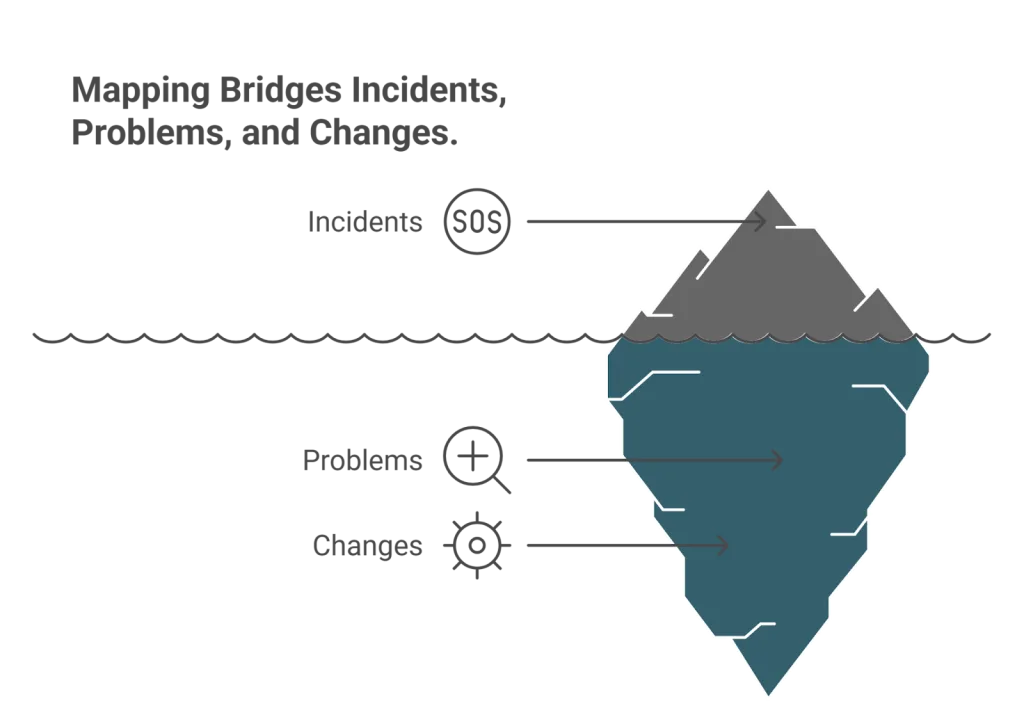
However, incidents rarely stand alone. They connect to both problems and changes:
- Incidents – unplanned interruptions.
- Problems – root causes behind repeated issues.
- Changes – planned updates that may create risks.
Service mapping bridges them all. It links incidents to problems,connects to your knowledge base and shows how changes affect connected systems. This makes it easier to align change management and incident management, reducing the risk of outages.
Mapping unifies incident and change management in a single view
In short, mapping unifies incident and change management in a single, visual view.
What is the Service Mapping maturity ladder
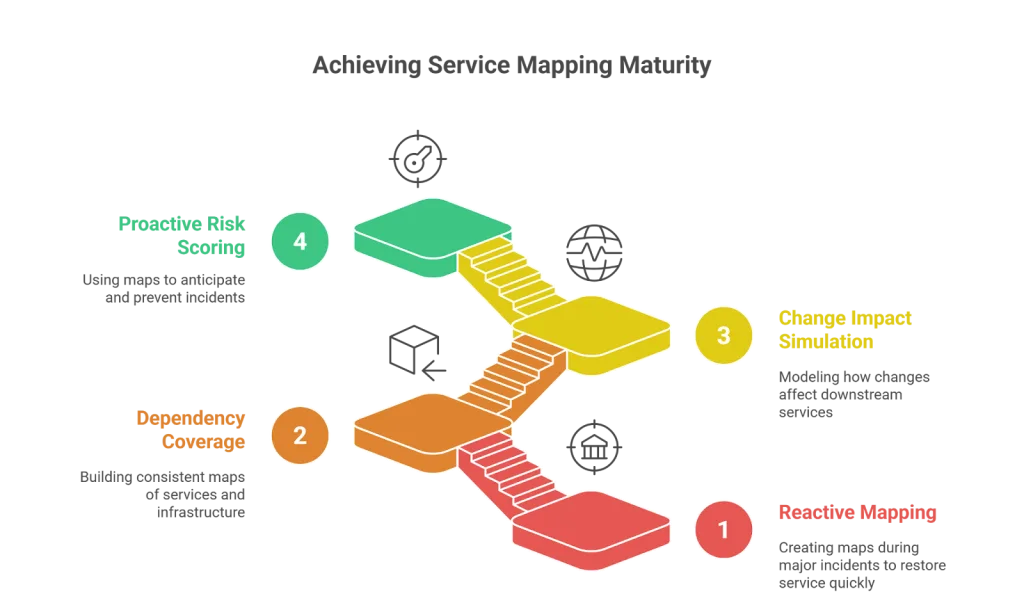
Not all teams use mapping at the same level. Maturity develops over time:
- Reactive mapping – maps are created only during big outages.
- Connection coverage – teams build consistent maps to support the ITIL incident management process.
- Change impact checks – maps show how planned changes may affect other systems, bridging change management and incident management.
- Proactive risk scoring – advanced teams use ViVID overlays to predict and prevent failures.
This ladder shows how mapping grows from basic to strategic— continually improving with each stage
Service mapping maturity ladder
When not to over-map your IT
On the other hand, mapping too much can hurt. Over-mapping adds clutter, slows updates, and creates trust issues.
Here’s how to avoid it:
- Avoid diminishing returns – don’t map every small service or test system.
- Set clear rules – focus on customer-facing or critical systems.
- Review often – remove maps that no one uses.
In short, smart mapping is about focus, not volume.
How does the Find–Scope–Fix–Prevent framework work?
Finally, IT managers need a simple way to apply maps. A practical method is Find–Scope–Fix–Prevent:
- Find – spot issues faster by linking alerts to maps.
- Scope – see impact clearly across connected systems.
- Fix – resolve faster with ViVID overlays showing links between incidents, changes, and risks.
- Prevent – use history and change checks to avoid repeats.
This framework makes service maps an active tool for effective incident management and strengthens incident logging practices.
Top pitfalls without Service Mapping
Without mapping, IT managers often face:
- Blind spots – hidden links stay invisible.
- Longer downtime – finding causes takes too long.
- Change-related issues – updates roll out without checks.
With mapping in place, these risks shrink. Teams gain speed and clarity.
Evolving the IT Incident Management process
Over time, mapping not only fixes incidents but also prevents them. By spotting patterns, teams cut both frequency and severity. This builds continually improving processes in ITIL incident management.
How to streamline IT Incident Management with Virima Service Mapping
Virima’s Service Mapping gives IT teams a clear model of services, apps, and systems. During outages, they can see which services are down and act fast. This strengthens every stage of the IT incident management process.
ViVID overlays: The Virima difference
What makes Virima unique is its Virima Visual Impact Display (ViVID) overlays. ViVID enriches service maps by adding ITSM data directly to them.
- Context overlays – incidents, changes, and risks show up on the map.
- Faster diagnosis – teams instantly see if a past change caused today’s issue.
- Fewer repeats – historical overlays prevent recurring problems.
In short, ViVID enhances Virima’s Service Mapping. Together, they cut downtime and improve both change management and incident management.
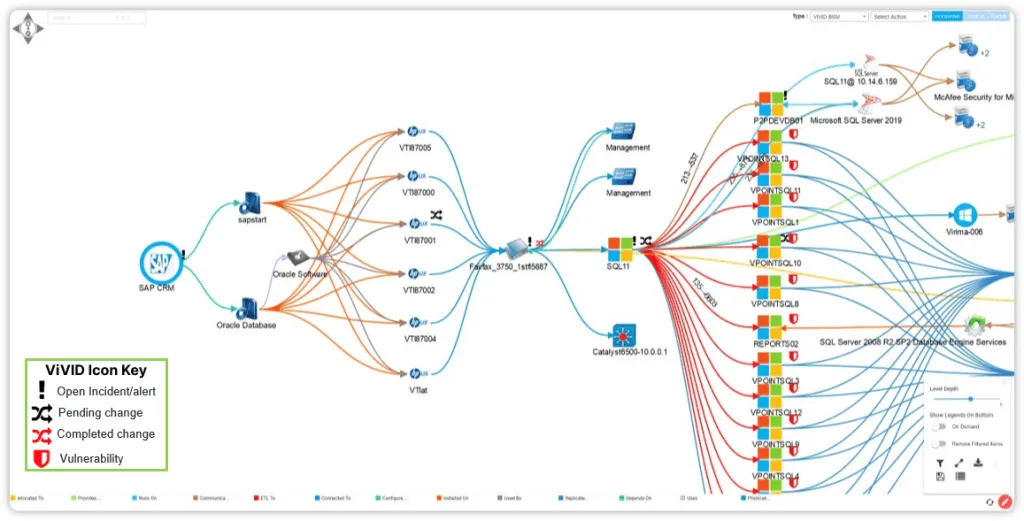
Virima Visual Impact Display (ViVID)
Benefits of Virima Service Mapping with ViVID
- Proactive insights – see how a single failure affects key services.
- Change risk checks – test risks before rollout.
- Broad integration – works with ServiceNow, Ivanti, Cherwell, Jira, and more.
Together, Virima Service Mapping + ViVID form a powerful platform. They unify incident and change management, cut downtime, and support IT resilience.
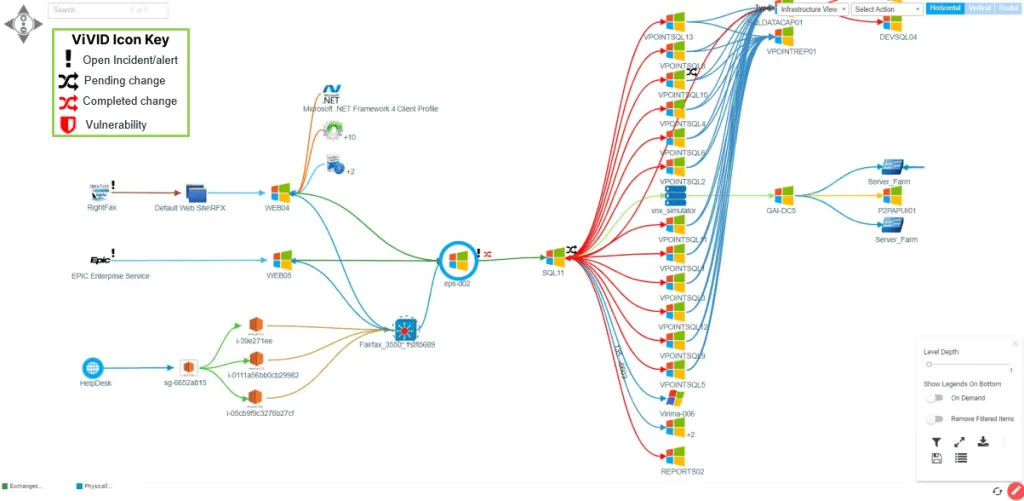
Incident response using ViVID
See the bigger picture with Service Mapping
In conclusion, service mapping helps IT adapt to changing needs while keeping systems stable. It strengthens the IT incident management process, unites incident and change management, and prevents costly outages.
Ready to transform your IT operations?
Leverage Virima’s Service Mapping with ViVID overlays to streamline incidents and reduce risks in both change management and incident management.
FAQs
1. What is the IT incident management process?
It is the structured method for spotting, logging, grouping, prioritizing, diagnosing, fixing, and closing incidents. The goal is fast restoration with minimal disruption.
2. How does service mapping improve the IT incident management process?
Service mapping shows connections across IT services. It speeds up triage, shortens fixing time, and supports decisions during the incident and change management cycle.
3. What is the difference between incident, problem, and change?
- Incident: unplanned interruption.
- Problem: root cause of incidents.
- Change: planned update that may add risk.
Service mapping bridges change management and incident management by linking incidents to problems and checking change impacts.
4. Why use agentless or agent-based service mapping tools?
Agentless tools deploy quickly and reduce system strain. Agent-based tools give deeper detail. Virima combines both for scalable, accurate mapping.
5. How does Virima ViVID support change management and incident management?
ViVID overlays incidents, changes, and risks directly on service maps. This makes it easier to trace root causes, prevent repeats, and manage risks across both processes.